Twitch Overlay Design: Elevating Your Stream Without the Clutter
When you sit down to stream, the difference between a casual broadcast and a professional production often comes down to one visual element: your layout. Twitch overlay design is not merely about adding flashy graphics or neon borders; it is the strategic arrangement of visual information that guides your viewer's eye while keeping the focus on what matters most—the content and the personality behind the screen. For creators ranging from hobbyist gamers to corporate educators, understanding how to implement these designs can transform a flat video feed into an engaging, branded experience.
The Core Purpose of a Stream Layout
At its heart, a twitch overlay design serves as a digital interface between the streamer and the audience. It organizes essential data points like chat messages, recent followers, donation alerts, and current song titles into a cohesive visual package. Without this structure, viewers are left guessing where to look, which can lead to confusion and reduced engagement. A well-crafted layout ensures that notifications appear without obscuring gameplay or facial expressions, creating a seamless flow of information.
Think of it as stage design for a live performance. Just as a theater uses lighting and set pieces to direct attention, a stream overlay uses color, transparency, and placement to highlight key moments. When a new subscriber joins, the alert should be noticeable but brief. When a game reaches a critical moment, the UI elements should recede so they do not distract from the action. This balance is achieved through thoughtful design choices that prioritize user experience over aesthetic excess.
Real-World Applications Across Different Niches
The utility of twitch overlay design extends far beyond the typical gaming channel. Different audiences require different visual cues, and tailoring your layout to your specific niche can significantly impact viewer retention.
- Gaming Creators: For competitive gamers, the priority is visibility. Overlays here often feature minimalistic health bars, kill feeds, or subtle corner branding. The goal is to provide context without blocking the HUD (Heads-Up Display) of the game itself. A cluttered screen can cause a player to miss a crucial detail in-game, leading to frustration for both the streamer and the viewer.
- Creative Artists and Musicians: Artists streaming their drawing process or musicians performing live benefit from overlays that showcase their tools and social media handles. A "Now Playing" widget or a link to their portfolio website can turn passive viewers into active customers. These overlays act as a bridge, converting interest into tangible support or sales.
- Educators and Coaches: Professionals using Twitch for teaching coding, fitness, or business strategy need a clean, distraction-free environment. Their overlay design might include a lower-third graphic displaying their name and expertise, along with a persistent call-to-action for course sign-ups. The tone should be professional and trustworthy, avoiding the chaotic energy often associated with gaming streams.
- Just Chatting and Lifestyle Streams: In conversational formats, the overlay acts as a conversation starter. Polls, topic cards, and dynamic weather widgets can keep the visual space alive during slower moments. These elements help maintain engagement when there is no high-octane action happening on screen.
Strategic Considerations Before You Design
Before downloading templates or hiring a designer, it is crucial to understand the technical and psychological constraints of your setup. Many beginners make the mistake of prioritizing style over function, resulting in a layout that looks impressive but hampers the actual viewing experience.
Performance and Technical Stability
One of the most overlooked aspects of twitch overlay design is its impact on system performance. Complex animations, heavy image files, and excessive layers can consume significant CPU and GPU resources. If your computer struggles to render the overlay, it may cause frame drops, audio desync, or even crashes during a live broadcast. Always test your layout in a recording mode before going live. Ensure that the bitrate remains stable and that the encoding process does not introduce lag. A simple, lightweight design that runs smoothly is always superior to a complex one that causes technical difficulties.
Readability and Accessibility
Your overlay must be legible across various devices. Viewers watch streams on desktop monitors, laptops, tablets, and smartphones. Text that looks crisp on a 4K monitor may become unreadable on a mobile screen if the font size is too small or the contrast is poor. Avoid placing critical text over areas of the screen that are likely to have high visual activity, such as the center of a gameplay window. Use solid backgrounds or semi-transparent blurs behind text boxes to ensure that words stand out regardless of the background content.
Brand Consistency and Identity
Your overlay is a reflection of your personal brand. Whether you are a freelancer building a reputation or a business owner promoting a product, consistency is key. Use colors, fonts, and imagery that align with your logo and other marketing materials. This creates a sense of familiarity and professionalism. When a viewer sees your stream on their phone and then visits your website, the visual language should feel connected. This cohesion builds trust and makes your channel more memorable in a crowded marketplace.
Choosing Between DIY and Professional Solutions
There is no one-size-fits-all answer when it comes to acquiring your twitch overlay design. The right choice depends on your budget, technical skills, and long-term goals.
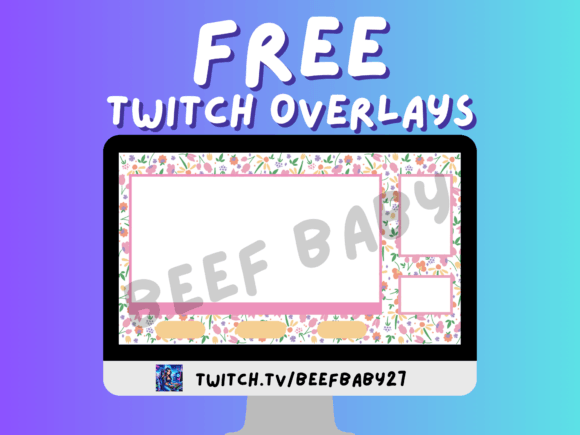
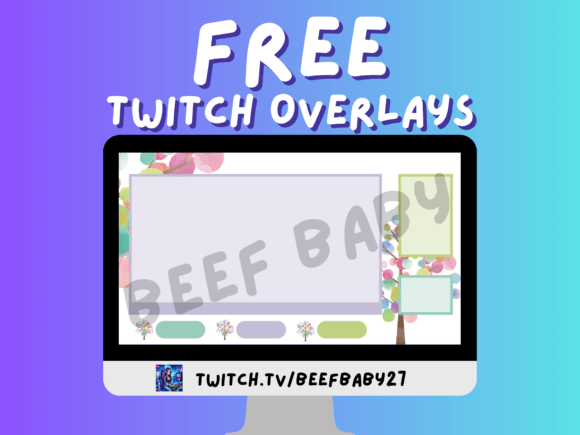
For those just starting out, free templates available on community forums or asset stores can be a great way to experiment. These allow you to learn the basics of OBS Studio or Streamlabs without a financial commitment. However, free assets often come with limitations, such as watermarks, generic designs that many others use, or lack of customization options. If you plan to grow your channel seriously, investing in a custom design or a premium template is often a wise move.
Custom designs offer the advantage of being tailored specifically to your workflow. A professional designer will ask about your content type, your camera setup, and your software preferences to create a layout that fits perfectly. They can optimize file sizes for better performance and ensure that every element serves a purpose. While the upfront cost is higher, the return on investment comes in the form of a polished, unique brand identity that sets you apart from the competition.
Optimizing for Engagement and Growth
Ultimately, the goal of any twitch overlay design is to facilitate connection. It should encourage interaction rather than passively sitting in the background. Strategic placement of interactive elements can drive meaningful outcomes. For example, placing a clear, animated "Subscribe" button near the chat box can increase conversion rates. Similarly, highlighting a "Donation Goal" progress bar can motivate viewers to contribute to a specific milestone.
However, avoid the temptation to overcrowd the screen with too many calls to action. Too many requests can feel desperate and push viewers away. Instead, focus on quality over quantity. Choose one or two primary actions you want your audience to take at any given time and design your overlay to support those goals subtly. The best designs feel intuitive, guiding the viewer naturally toward the next step without feeling forced.
As the streaming landscape evolves, the standards for visual quality continue to rise. What was acceptable five years ago may now look dated. Regularly reviewing and updating your twitch overlay design ensures that your channel remains fresh and relevant. By focusing on clarity, performance, and brand alignment, you create an environment where your content can truly shine, fostering a loyal community that returns again and again.