Twitch Overlay: The Ultimate Guide for Streamers
Imagine walking into a television studio. You see cameras, lights, and a director shouting cues to keep the broadcast running smoothly. Now, imagine doing that alone in your bedroom with just a webcam and a microphone. Without the right tools, your stream might feel flat or unfinished. This is where a Twitch Overlay becomes essential. It is not merely a decorative frame; it is the digital interface that transforms raw footage into a professional broadcast, guiding viewer attention and establishing your brand identity instantly.
Whether you are broadcasting a live coding session, hosting a gaming tournament, or teaching an online workshop, the visual layer you place over your content defines how your audience perceives your expertise. A well-designed overlay acts as the silent host of your channel, managing information flow so you can focus on what matters most: engaging with your community.
What Exactly Is a Twitch Overlay?
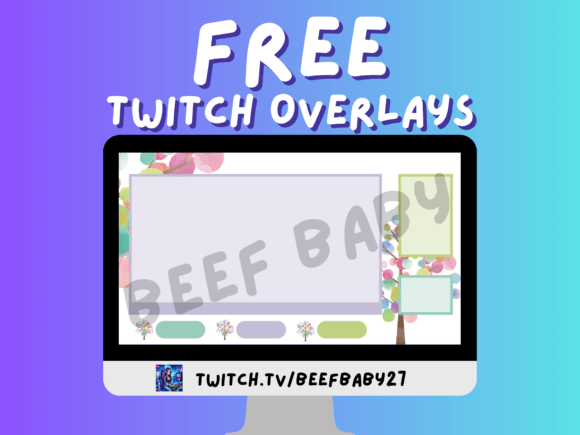
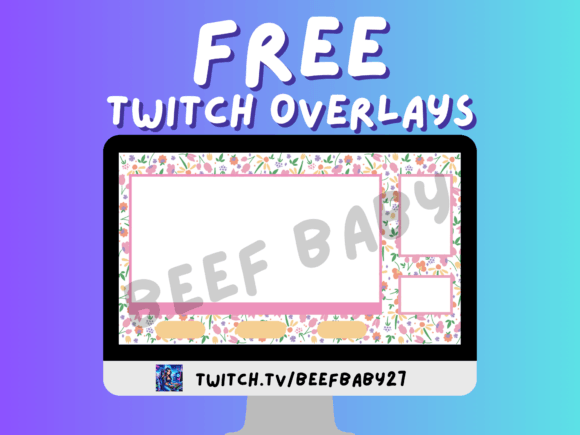
At its core, a Twitch Overlay is a collection of graphic elements layered on top of your video feed during a live broadcast. These elements typically include borders around your camera, alert boxes for new followers or donations, chat displays, lower-thirds for introducing topics, and status indicators like "Live" or "Offline." Unlike static backgrounds, modern overlays are dynamic. They interact with your streaming software, such as OBS Studio or Streamlabs, to display real-time data without requiring manual intervention.
Think of it as the graphical user interface (GUI) for your personality. Just as a website needs navigation bars and clear headings to be usable, a live stream needs visual cues to help viewers understand context. Are you taking questions? Is a donation coming in? Has the stream just started? The overlay answers these questions visually, reducing cognitive load for the audience and allowing them to immerse themselves in the content rather than guessing what is happening.
Why Different Audiences Care About Visual Presentation
The importance of a high-quality overlay shifts depending on who is behind the camera. For a casual hobbyist, it might be about fun and personal expression. For a business owner, it is a critical component of brand consistency and trust. Understanding these nuances helps creators choose the right assets for their specific goals.
The Beginner and Hobbyist Perspective
For those just starting out, the primary barrier is often technical complexity. Beginners need a solution that is easy to install and forgiving of mistakes. A complex overlay with too many moving parts can distract from learning how to manage audio levels or scene transitions. For this group, the priority is simplicity and ease of use.
A beginner might choose a pre-made template that includes basic borders and a simple follower alert. This allows them to look polished immediately without spending hours designing graphics in Photoshop. The goal here is confidence. Seeing a professional-looking frame around their face encourages the streamer to speak more naturally and engage more deeply with early viewers. The overlay serves as a psychological boost, signaling that "this is a real show."
The Professional Creator and Educator
As streamers evolve into professionals or educators, the stakes change. An educator teaching a language class or a software developer demonstrating code cannot afford visual clutter. Their overlay must prioritize clarity and information hierarchy. If a donation alert pops up and covers the code they are explaining, the lesson is disrupted.
For professionals, the overlay is a tool for efficiency. They might utilize custom lower-thirds to display the current topic, guest names, or key takeaways. Reliability is paramount; a glitchy overlay that lags or crashes the stream damages credibility. These users often invest time in creating custom animations that match their brand colors perfectly, ensuring that every visual element reinforces their authority in their niche. The cost of the overlay matters less than the long-term value of a seamless viewing experience.
The Entrepreneur and Small Business Owner
When streaming becomes a business, the overlay transforms into a marketing asset. Entrepreneurs use Twitch to launch products, build email lists, or drive traffic to external sites. For them, the overlay must serve a commercial purpose without feeling intrusive. This requires a delicate balance between promotion and entertainment.
A small business owner might integrate a persistent banner at the bottom of the screen linking to their latest product drop or a special discount code. They might use specific color psychology in their design to evoke trust or excitement. Here, flexibility is key. The overlay needs to adapt quickly if the stream pivots from a Q&A session to a product demo. The ability to swap scenes instantly while maintaining a cohesive visual theme is what separates a hobbyist stream from a revenue-generating broadcast.
Evaluating Your Needs: Quality, Cost, and Flexibility
Choosing the right Twitch Overlay involves weighing several competing priorities. There is no single "best" option, only the best fit for your current situation. Consider the following factors when evaluating your options:
- Cost vs. Value: Free templates are abundant, but they are often used by thousands of other channels, making your stream look generic. Paid overlays offer unique designs and better support. However, the highest value often comes from investing time to customize even a free template to make it yours.
- Performance and Speed: High-resolution animated overlays can tax your computer's CPU and GPU. If you have older hardware, a heavy overlay might cause your stream to lag or stutter. Always test your overlay in a local preview before going live to ensure it does not compromise stream quality.
- Creativity and Branding: Does the design reflect your personality? A dark, edgy aesthetic suits a horror game streamer, while bright, clean lines work better for a lifestyle vlogger. Your overlay should be an extension of your brand voice.
- Maintainability: Can you easily update the overlay later? If you decide to rebrand in six months, will you need to hire a designer again, or can you simply tweak the text and colors yourself?
Practical Examples Across Use Cases
To illustrate how these priorities play out, consider three distinct scenarios:
- The Fitness Coach: Needs a clean overlay that leaves plenty of screen space for movement. They might use a simple timer in the corner to track workout intervals and a subtle logo watermark. Clutter would obscure the form they are demonstrating.
- The Indie Game Developer: Wants to showcase gameplay footage alongside their commentary. Their overlay might feature a split-screen layout with a webcam in one corner and a "Dev Log" title bar. They need alerts that highlight community milestones, like reaching 100 backers on Kickstarter.
- The Corporate Trainer: Requires a formal, branded overlay with company logos and consistent typography. The focus is on professionalism. Alerts for donations are irrelevant, but a section displaying the webinar agenda or speaker credentials is crucial.
Determining If an Overlay Matches Your Goals
Before downloading or purchasing an overlay, ask yourself what you want to achieve. If your goal is to build a personal brand, invest in a unique design that stands out. If your goal is to learn the ropes of streaming, start with a lightweight, free template and focus on mastering your streaming software first. Remember, the technology is secondary to the content. An overlay cannot save a boring stream, but a great stream can thrive even with minimal graphics.
Ultimately, a Twitch Overlay is about respect for your audience. It shows that you care about their viewing experience enough to curate the visual environment. Whether you are a freelancer looking to expand your reach, a marketer testing a new channel, or a hobbyist sharing a passion, the right visual setup bridges the gap between you and your viewers. By choosing an overlay that aligns with your skill level and objectives, you set the stage for a successful and sustainable streaming journey.